One Till number, several cashiers, every sale accounted for.
When several cashiers share one M-Pesa Till, the hard part is knowing who took which payment. TillSync gives every cashier the live feed and every sale a name.
The problem at supermarkets
Payments arrive on one phone, but customers are served at several tills. Matching payments to cashiers at the end of the day takes time and trust, and every minute spent confirming a payment is a minute the queue grows.
What changes with TillSync
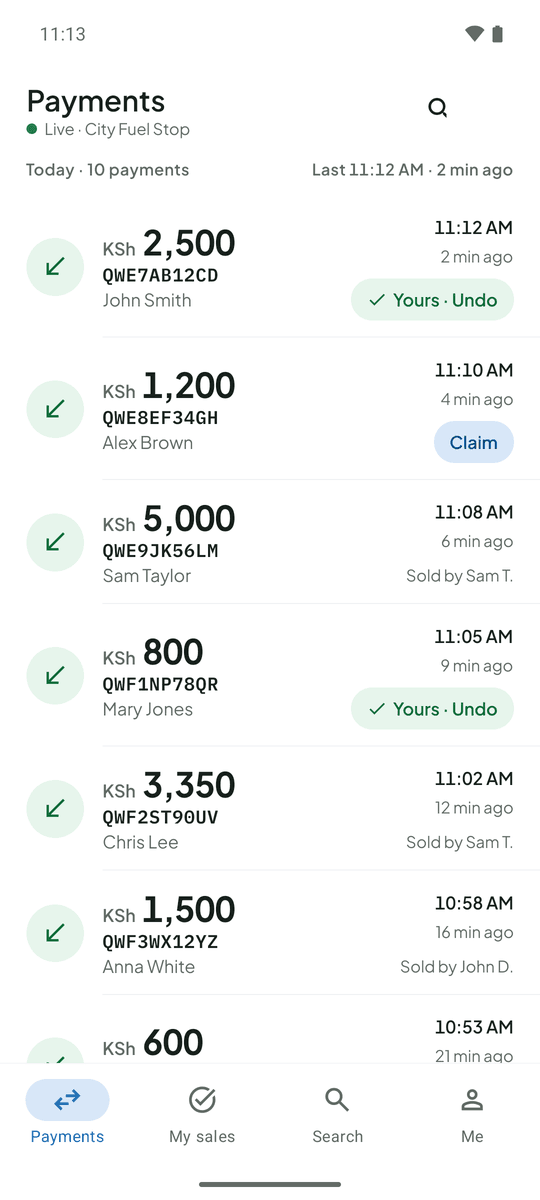
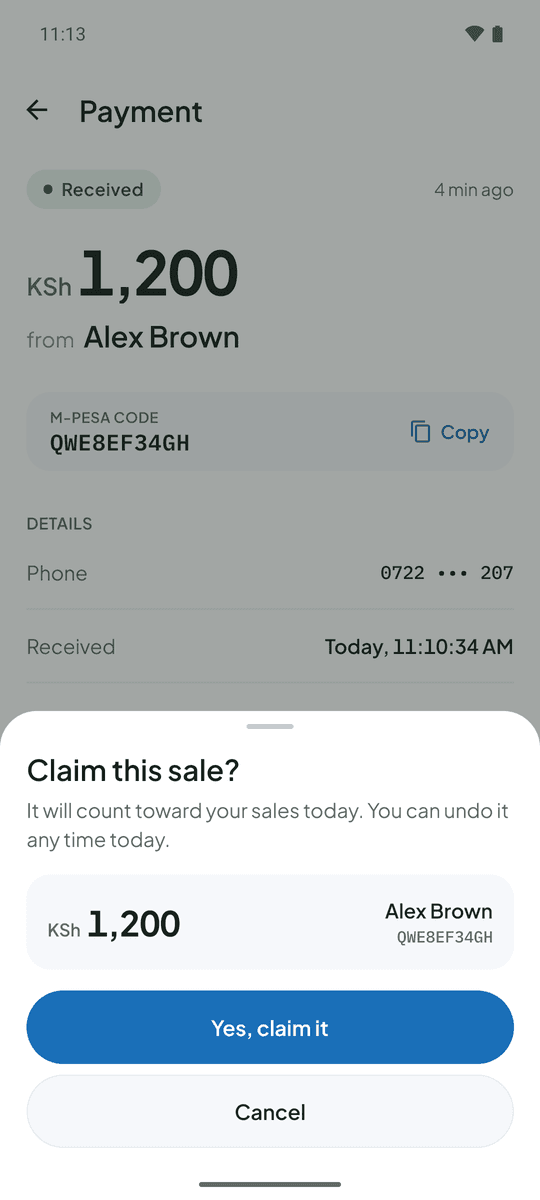
Each cashier sees the same live list of payments on their own phone. Cashiers claim the payments they took, and you see each person’s total and anything unclaimed. Payments export to CSV, with who made each sale, for reconciliation.
Till 5, a busy hour. A customer pays KSh 1,200. The cashier at till 5 sees it land, claims it and moves to the next customer. At close, you see each cashier’s total.
Questions from supermarkets
How many cashiers can I add?
As many as you need. Each gets their own account and sees only what you allow.
What about payments nobody claimed?
They are listed as unclaimed on your dashboard with their total, so nothing is lost at the end of the day.
More on the FAQ page.
Other businesses that use TillSync
Ready for a more connected counter?
Create your business, connect the Android phone that holds your Till SIM, and bring your team in.