Reception, bar and restaurant, looking at the same payments.
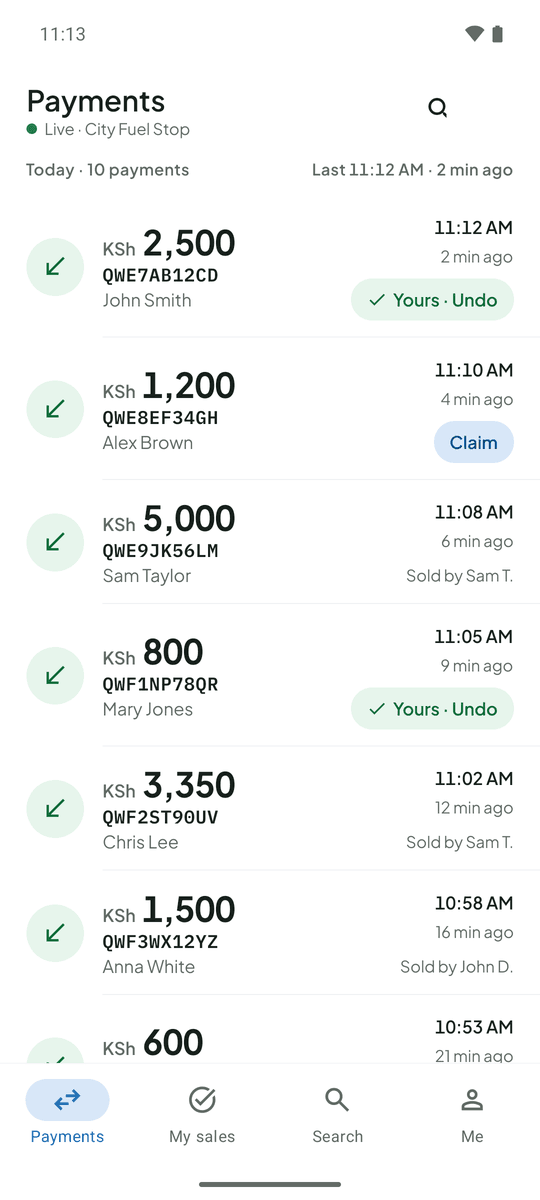
Payments arrive at the front desk, the bar and the restaurant, and the owner is rarely at any of them. TillSync shows every M-Pesa payment live to the right people, and who handled it.
The problem at hotels
Staff at different service points need to confirm payments without calling the owner. The owner is often not on site. And it is hard to tell which team member handled which payment.
What changes with TillSync
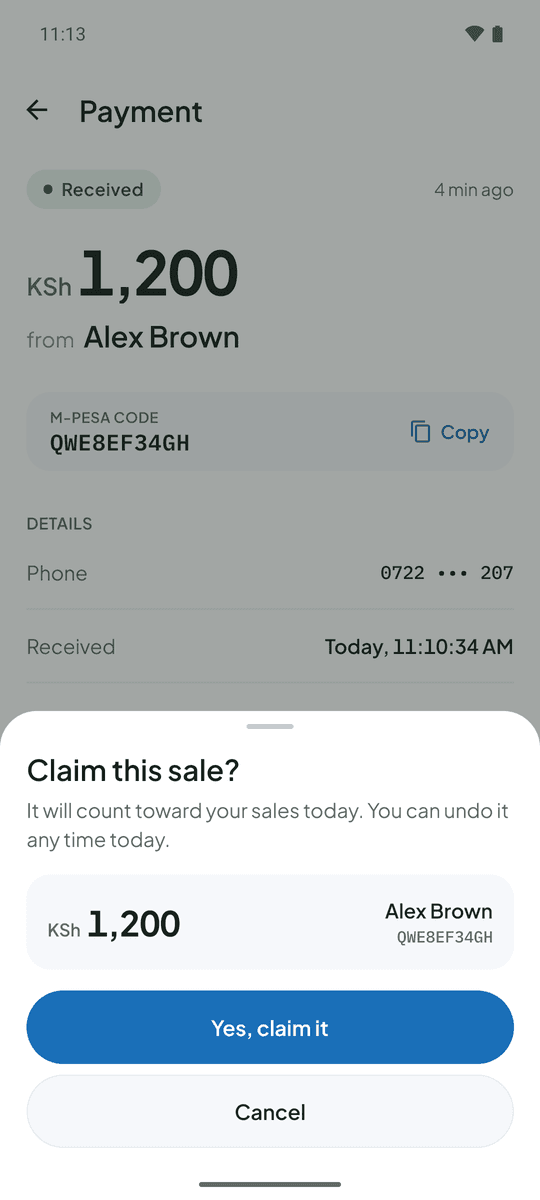
Reception, the bar and the restaurant see payments as they land. The owner opens the dashboard from anywhere for the day’s totals and every payment. Staff claim the payments they handled, so each person’s sales are clear.
Check-out morning. A guest pays KSh 5,000 at reception. The receptionist sees it appear, claims it and prints the receipt. The manager sees it from home.
Questions from hotels
Can the owner watch from off site?
Yes. The web dashboard works in any browser, and the Android app works wherever there is internet.
Can I limit what each staff member sees?
Yes. Staff see amounts, codes, times and payer names by default. You choose who can also see older payments or the original message.
More on the FAQ page.
Other businesses that use TillSync
Ready for a more connected counter?
Create your business, connect the Android phone that holds your Till SIM, and bring your team in.