Confirm payment before you dispense.
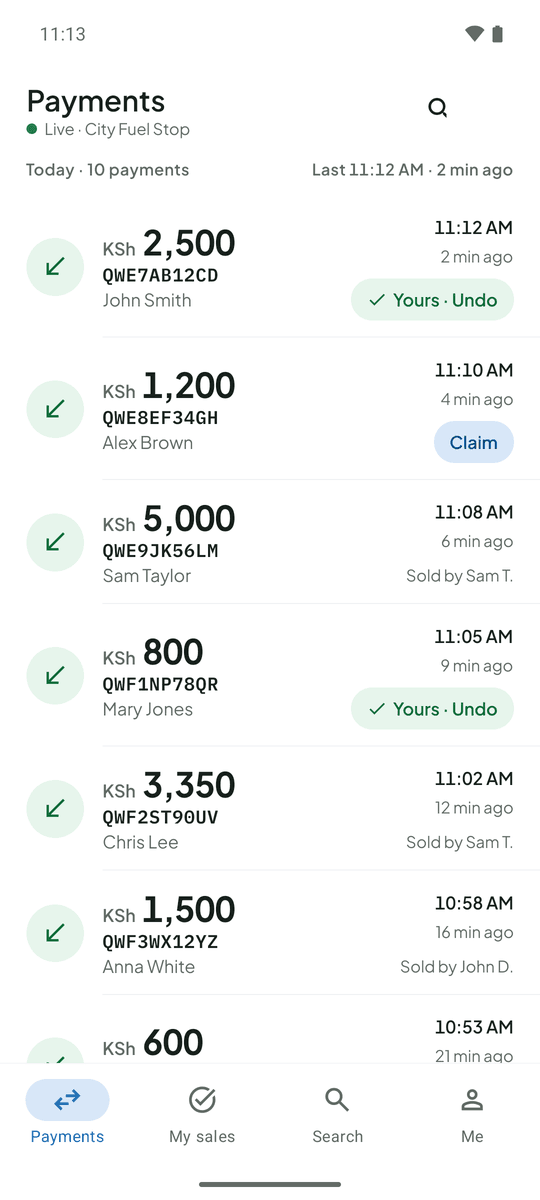
At the pharmacy counter, a confirmed payment is the signal to hand over the medicine. TillSync shows every M-Pesa payment on the pharmacist’s phone as soon as it arrives.
The problem at pharmacies
Pharmacists want to be sure of payment without leaving the counter. A business account balance should not be on show to staff or customers. And with several people at the counter, the record of who served a customer is often unclear.
What changes with TillSync
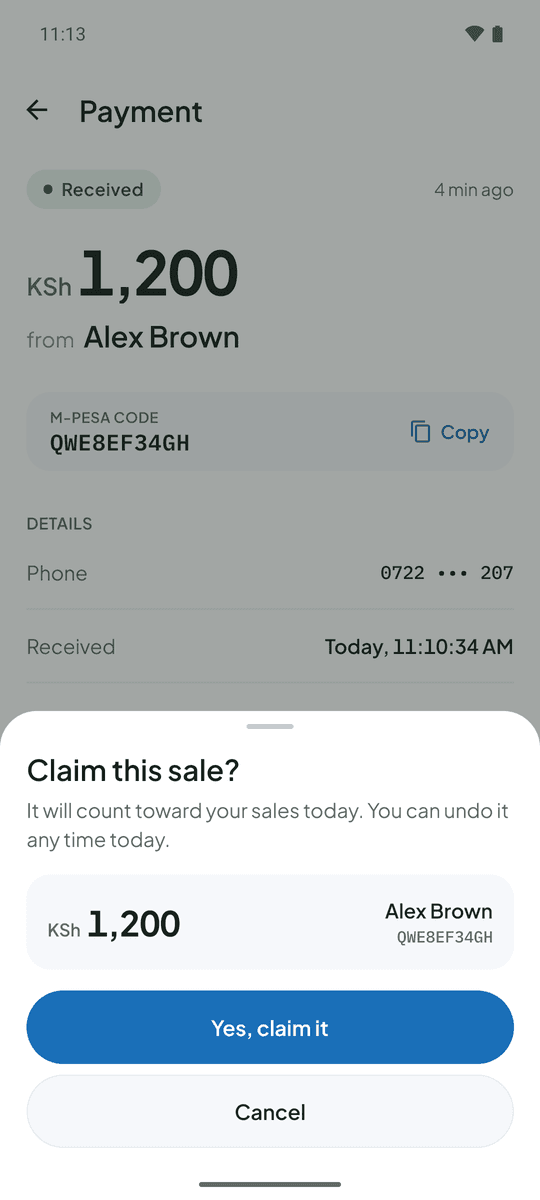
The amount and payer’s name appear on the pharmacist’s phone as soon as the SMS arrives. Staff see the payment, never the original message with your balance. Staff claim the sales they served, and you can export payments with who made each one.
The counter, mid-morning. A customer pays KSh 800. The pharmacist sees it land, claims the sale and dispenses, without touching the Till phone.
Questions from pharmacies
Does TillSync handle patient information?
No. TillSync only handles M-Pesa payment confirmations: amount, code, time, payer name and a masked phone number. It does not store any health information.
Can I keep my balance private from staff?
Yes. Staff never see the original M-Pesa message unless you allow it, so your account balance stays with you.
More on the FAQ page.
Other businesses that use TillSync
Ready for a more connected counter?
Create your business, connect the Android phone that holds your Till SIM, and bring your team in.