Payments at the pump, on the attendant’s phone.
Your attendants work at the pumps. Your Till phone is usually inside. TillSync puts each M-Pesa payment on every attendant’s phone and shows you who served each customer.
The problem at petrol stations
An attendant at pump 4 can’t tell whether a customer’s payment has gone through without walking inside or calling someone. At shift change the day’s total is right, but nobody can say which attendant made which sale. And whoever checks the Till phone reads your account balance.
What changes with TillSync
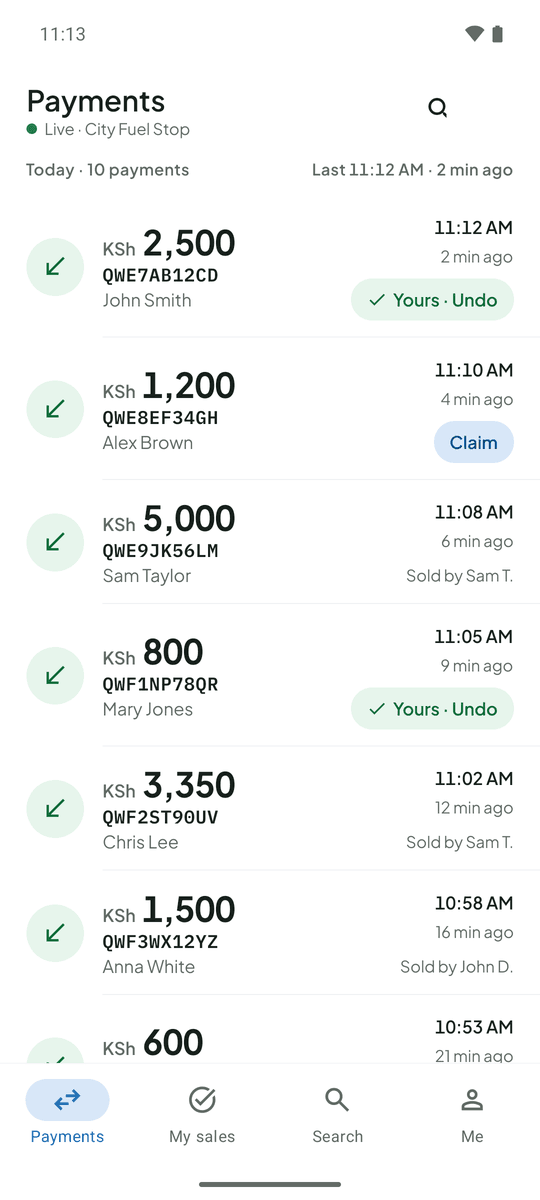
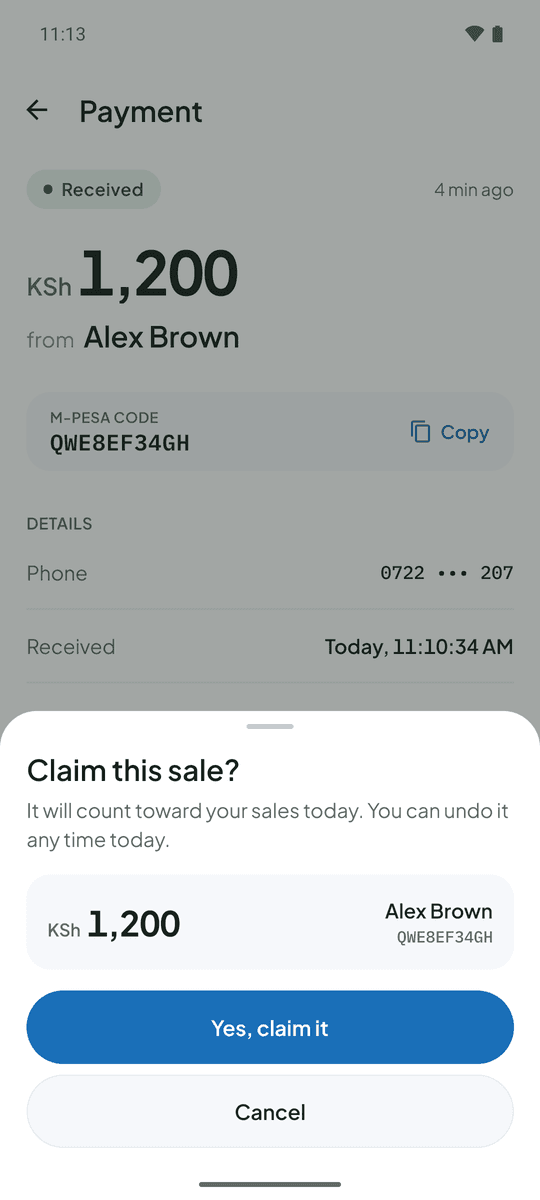
The amount, code and payer’s name show on each attendant’s phone as soon as the SMS arrives, so they can release fuel without leaving the pump. Attendants claim the customers they served, so every shift has a total per person. The original message, with your balance, stays hidden from them.
Pump 3, 11:12 AM. A customer pays KSh 2,500. Jane sees the payment arrive, taps Claim and confirms. It counts toward her shift total, and you can see it from home.
Questions from petrol stations
Can each pump attendant see payments on their own phone?
Yes. Every attendant you add sees the live feed on their own phone, with the amount, code, time and payer name.
How do I know which attendant served which customer?
Attendants tap Claim on the payments they served. You see sales by person, and any payment nobody has claimed is listed separately.
More on the FAQ page.
Other businesses that use TillSync
Ready for a more connected counter?
Create your business, connect the Android phone that holds your Till SIM, and bring your team in.