What TillSync does
It shows every M-Pesa payment live, puts a name on every sale, and keeps your balance private. These are the details, with the real screens.
Payments show up on every phone
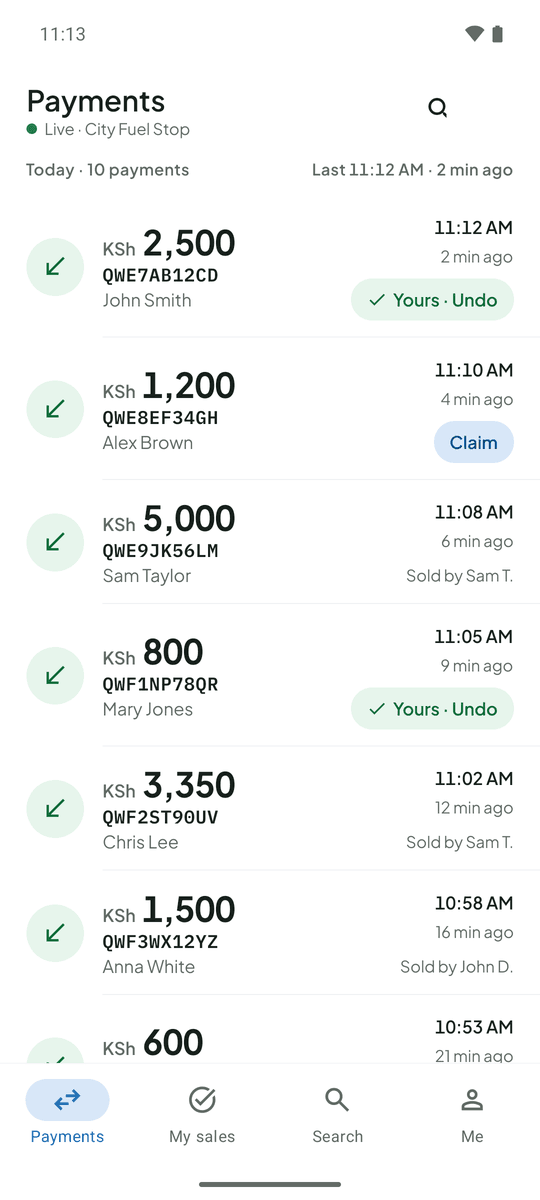
Each M-Pesa message becomes a short record: amount, M-Pesa code, time and the payer’s name. It appears on every team member’s phone within seconds.
- New payments are marked for a short while so they stand out
- Search by code, amount or name when a customer reads one out
- Copy the code with one tap
- Hide amounts on screen when customers are watching
Attendants claim the sales they served
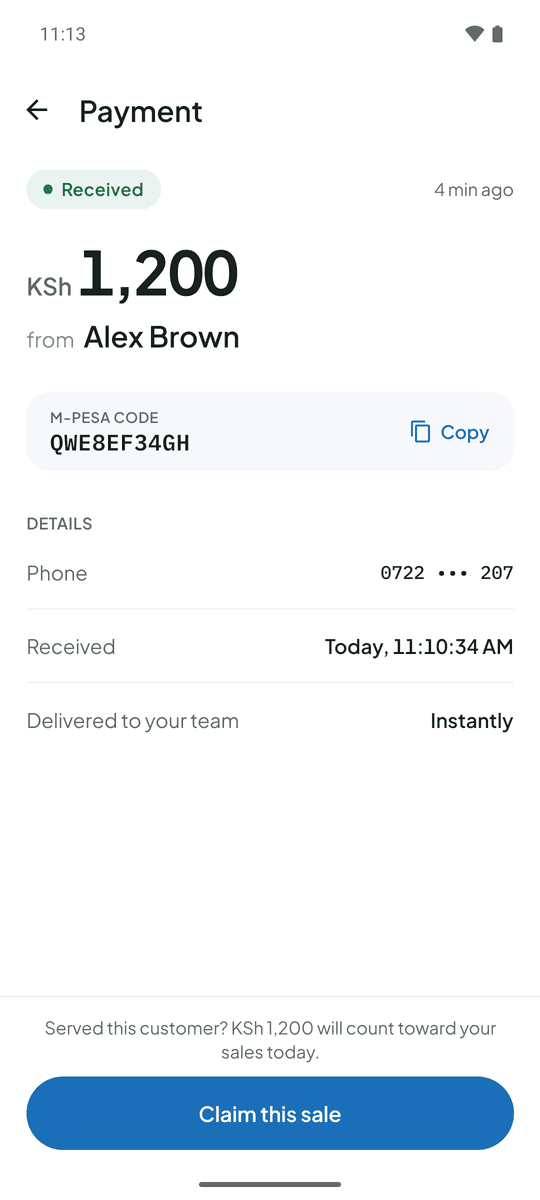
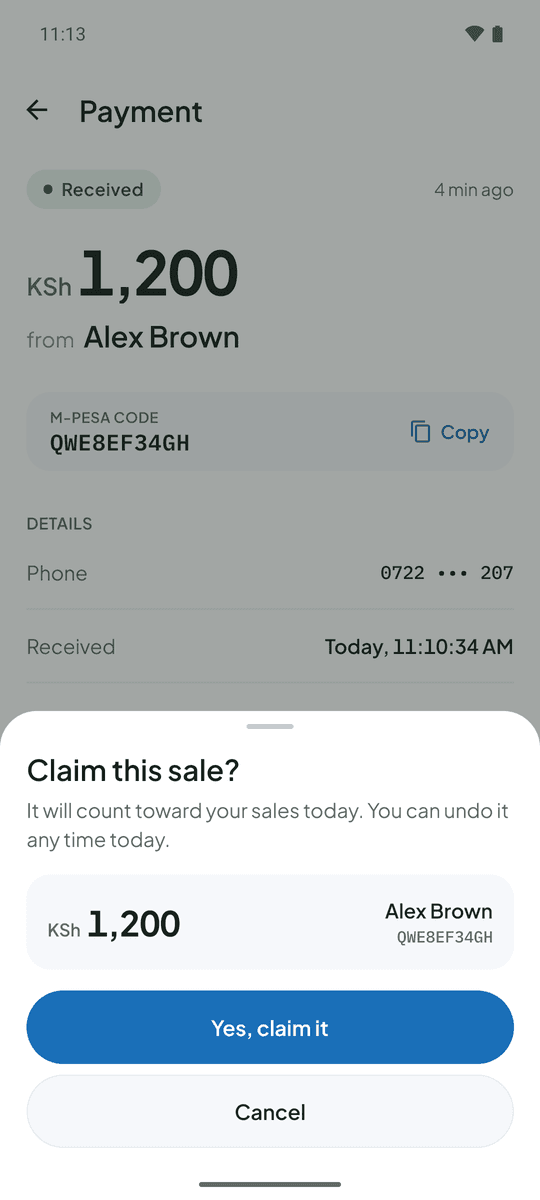
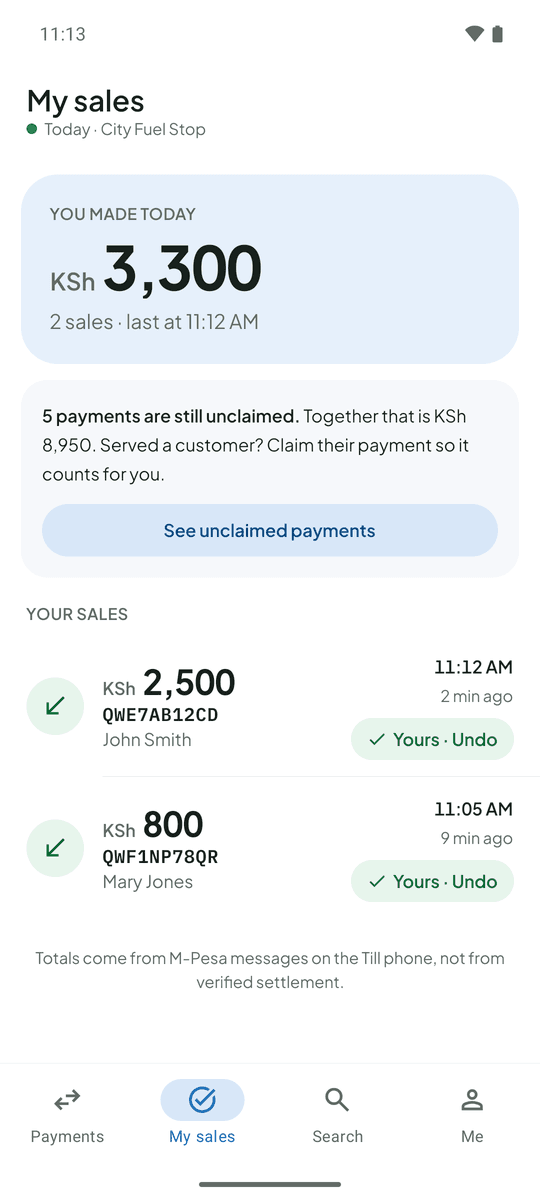
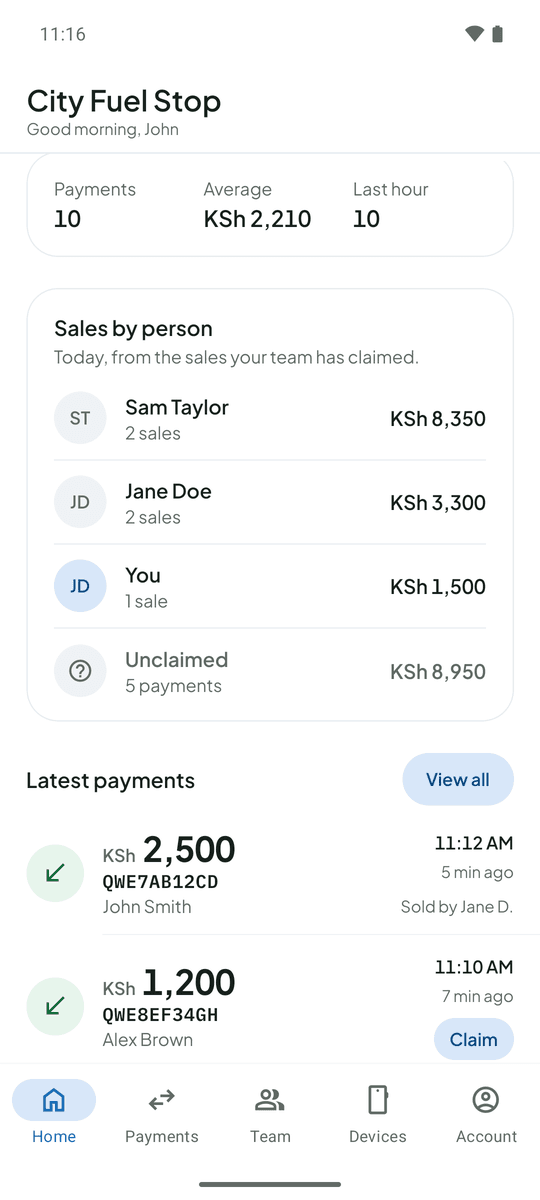
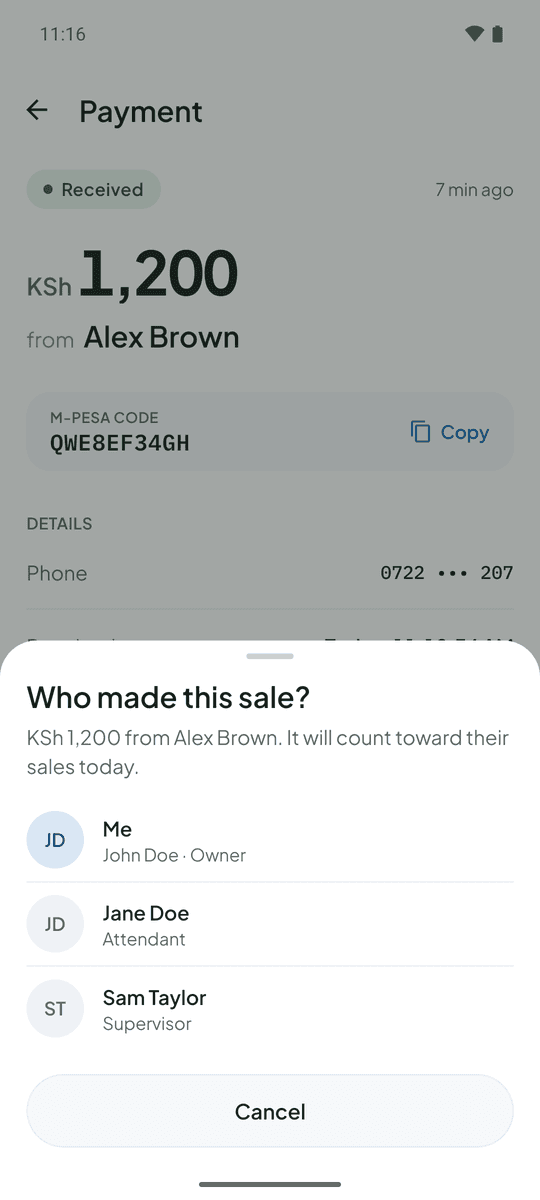
Tap Claim, then confirm. The sale counts toward that person’s total for the day, and only theirs.
- The first claim wins, so nothing is counted twice
- A wrong claim can be undone
- Each attendant has a My sales page with their total for the day
- Payments nobody has claimed are listed, so nothing slips through
Owners see who sold what
The owner’s home screen splits today’s takings by person and lists anything nobody has claimed. You can claim a sale yourself, or give any payment to anyone on the team.
- Change or remove any claim in two taps
- Works on older payments too, for corrections
- The CSV export includes who made each sale
Your balance stays private
The original M-Pesa message includes your account balance, so attendants never see it unless you allow it.
- Attendants see the amount, code, time, payer name and masked phone number
- Grant the original message or older payments to individual people
- Permissions are enforced on the server, not only hidden on screen
- Remove someone’s access instantly
You find out when the Till phone goes quiet
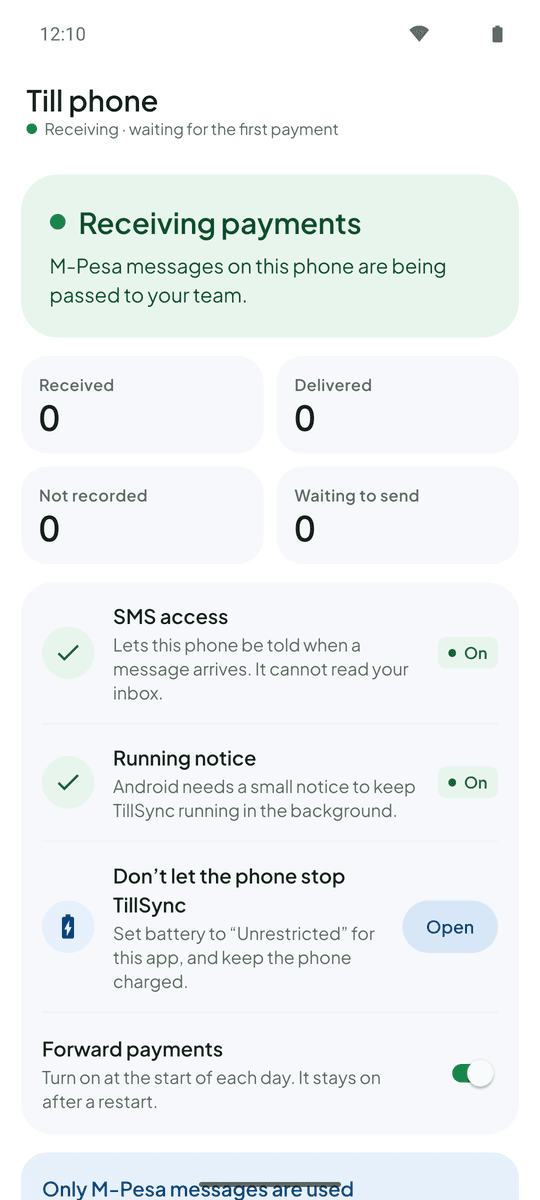
If the Till phone stops reporting for a few minutes, your team sees “Till not reporting”. Messages wait on the phone and send as soon as it is back online.
- Shows connected, not reporting, or needs SMS access
- Shows when the phone last reported, its battery and how many messages are waiting
- Keeps running with the screen locked
The same payments on a laptop
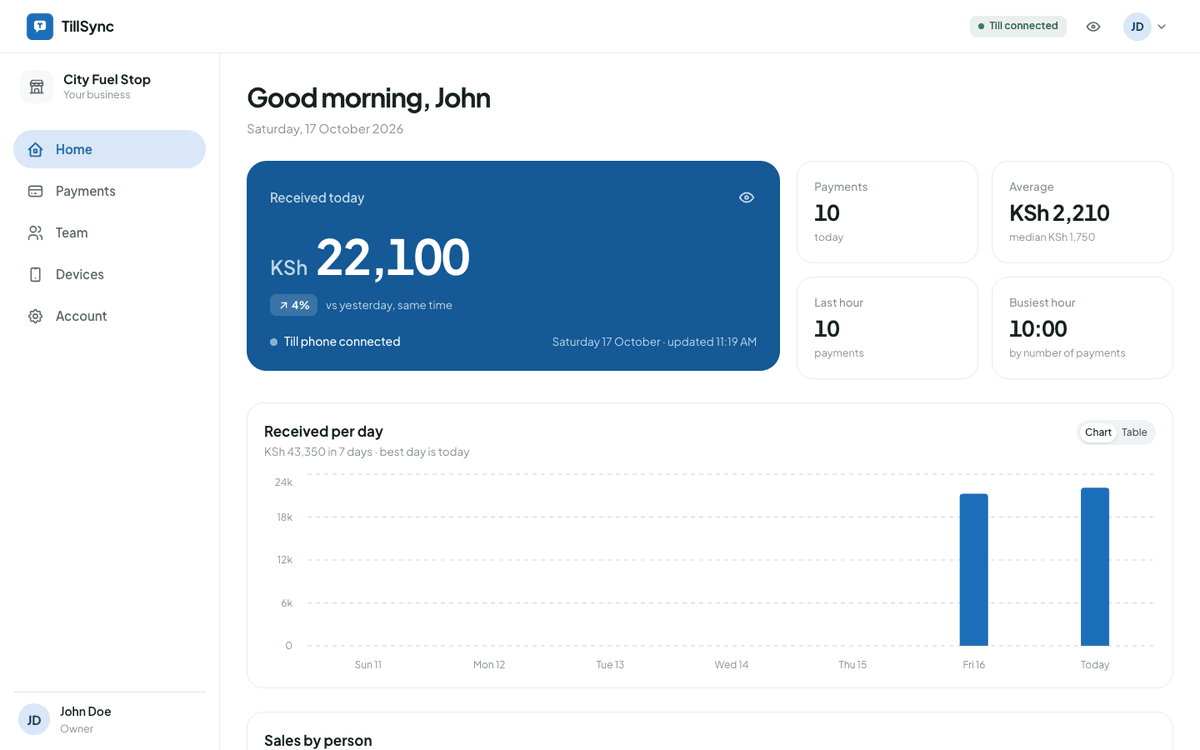
Owners and attendants can also sign in on the web. Owners get the daily picture there as well.
- Total received today, compared with the same time yesterday
- A seven-day chart, the average sale and your busiest hour
- Payments for today, 7 days or 30 days, filtered by amount
- Export to CSV for your books
TillSync in brief
- What it is
- A live M-Pesa payments feed and sales tracker for Till and Buy Goods businesses
- Built for
- Owners and attendants of petrol stations, shops, restaurants, supermarkets, hotels and pharmacies in Kenya
- You need
- An Android phone with your Till SIM. No Safaricom API, no extra hardware
- Works on
- Android app for the Till phone, owners and attendants; web dashboard in any browser
- How it gets payments
- From the M-Pesa confirmation SMS your Till phone already receives
- What it doesn’t do
- Move or hold money, or replace your M-Pesa statement
Ready for a more connected counter?
Create your business, connect the Android phone that holds your Till SIM, and bring your team in.