See every M-Pesa payment the moment it lands, without showing anyone your balance.
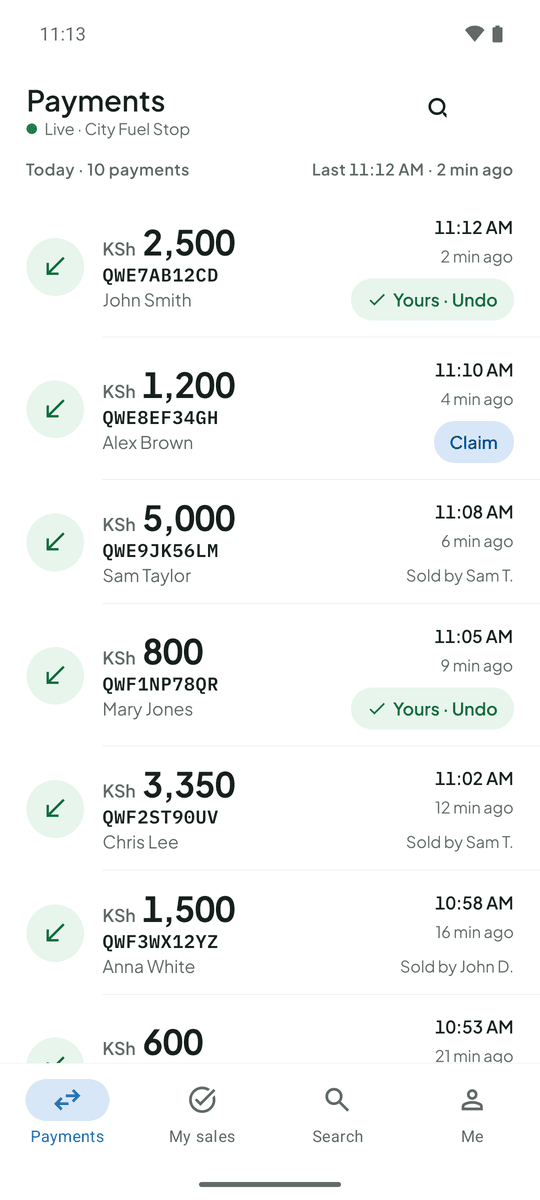
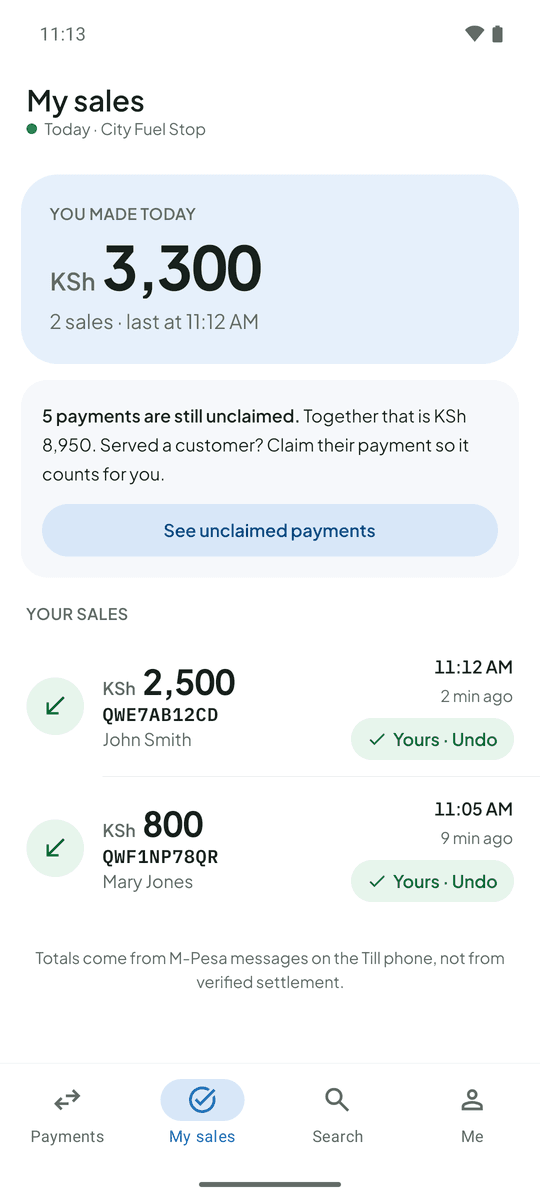
TillSync puts each payment from your Till phone on your attendants’ phones, with the name of whoever made the sale.
For Till (Buy Goods) numbers. Needs an Android phone with your Till SIM. No Safaricom API.
- Amount
- M-Pesa code
- Payer’s name
- Time
The original message is stored separately and opens only for people you allow. Security
What each person sees
Attendants
See each payment as it arrives: amount, code, payer, time. Never your balance.
You, the owner
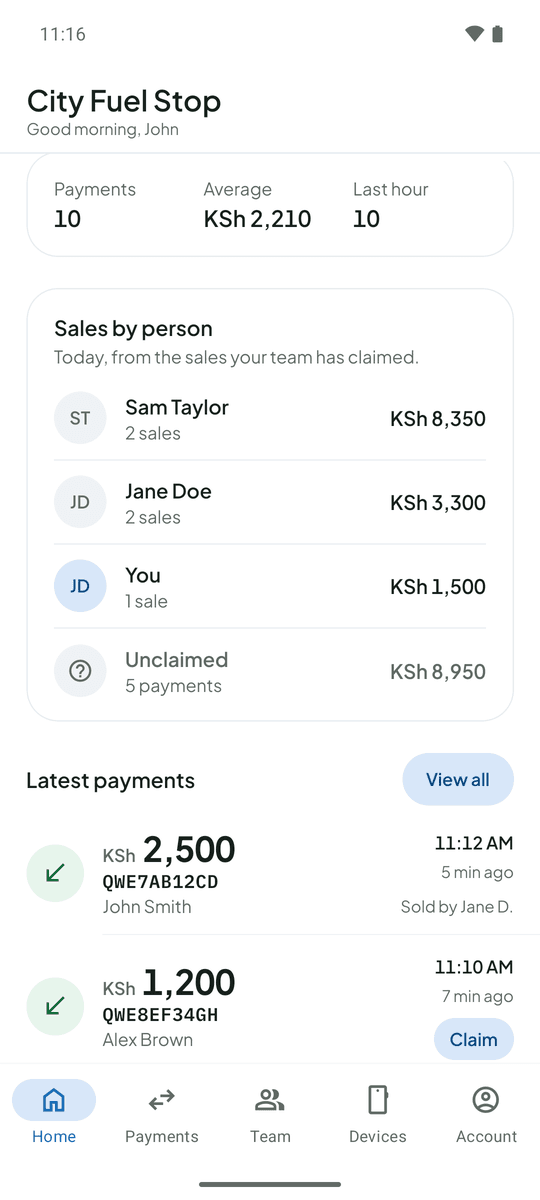
See today split by person, with unclaimed payments kept apart. Fix any claim.
The Till phone
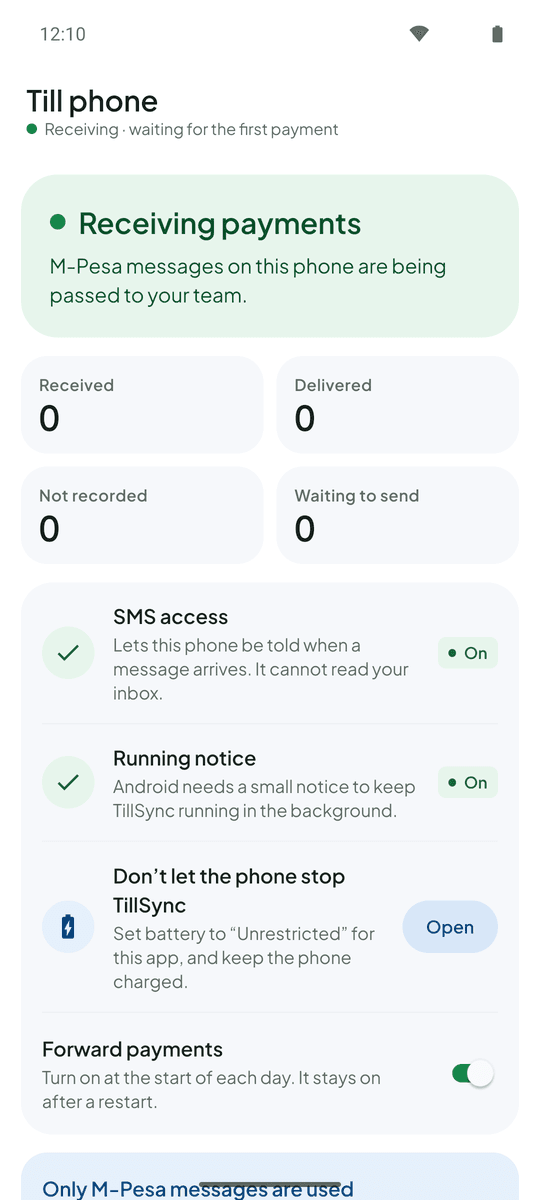
Stays at the counter and passes messages on. If it goes quiet, everyone is told.
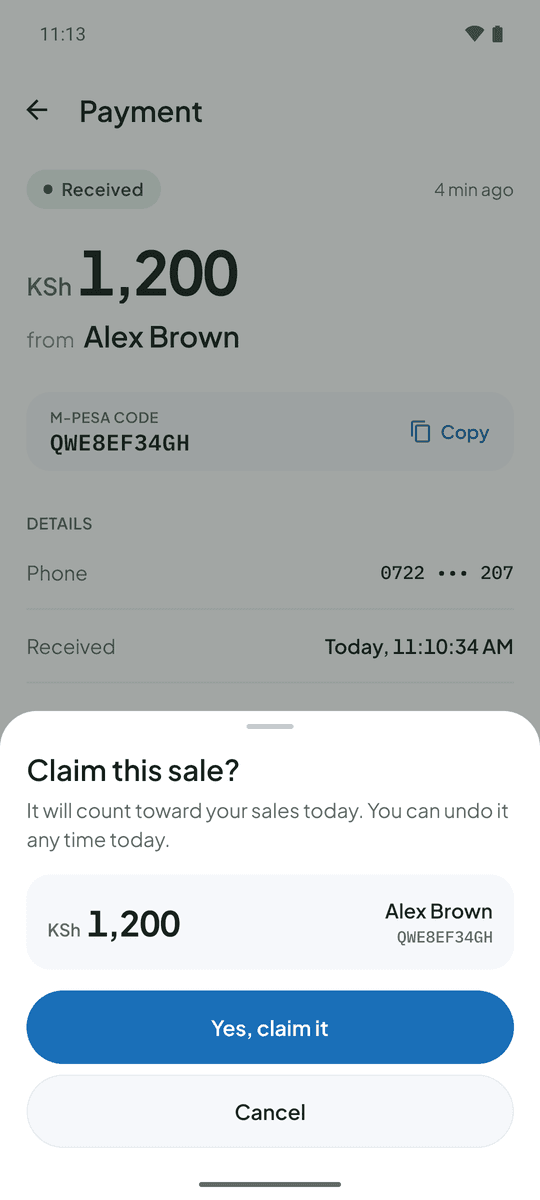
Claiming a sale takes two taps
The first claim wins, so nothing is counted twice.
Tap Claim
On the payment you served.
Confirm
The amount and payer are shown first.
See your total
Each attendant gets their own number for the day.
Questions owners ask
What is TillSync?
TillSync is a payments feed for businesses that accept M-Pesa Till payments in Kenya. It reads the M-Pesa confirmation SMS on your Till phone and shows each payment live to you and your attendants, along with who made each sale.
Do I need Safaricom’s Daraja API or any integration?
No. TillSync works from the confirmation SMS your Till phone already receives, so there is nothing to apply for and nothing to integrate with Safaricom.
Can my attendants see my M-Pesa balance?
No. The original M-Pesa message, which contains your balance, is hidden from attendants unless you choose to allow it. They see the amount, code, time, payer name and the masked phone number.
What if the internet drops?
The Till phone keeps the messages it receives and sends them as soon as it is back online, so nothing is lost. Your team sees the payments when they arrive.
Try it with your own Till phone.
Create your business, install the app on the phone that holds your Till SIM, and add your first attendant.