Close tables faster, and know who served them.
Waiters, a cashier and one Till. TillSync shows every M-Pesa payment to the whole floor, so tables close quickly and every sale has a name on it.
The problem at restaurants
A guest has paid, but the cashier has to find the Till phone to be sure, and the table waits. When credit for a table depends on who served it, memory is a poor record. And whoever checks the phone sees your balance.
What changes with TillSync
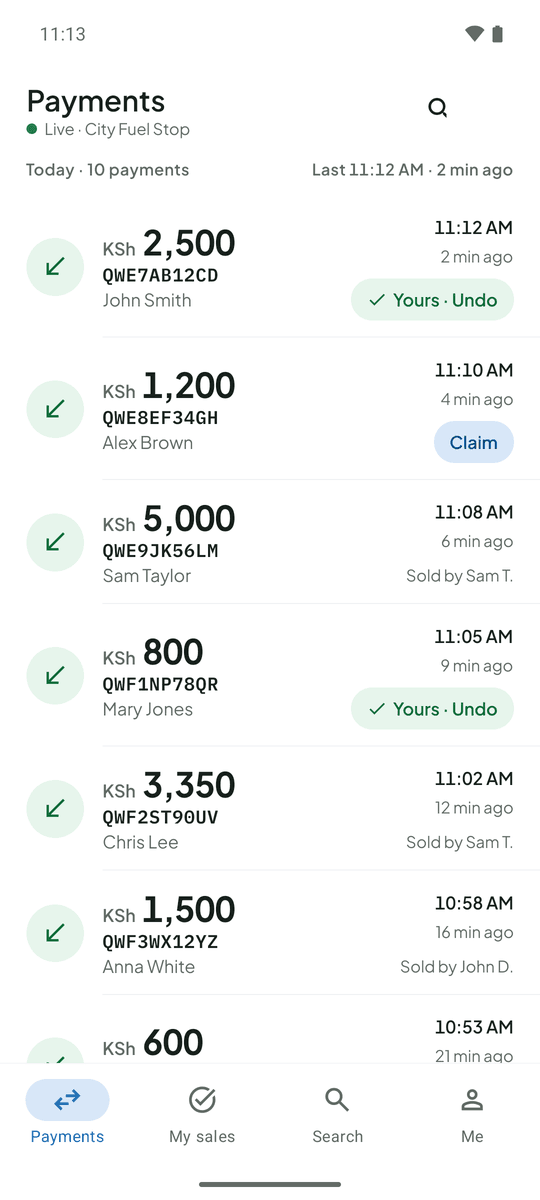
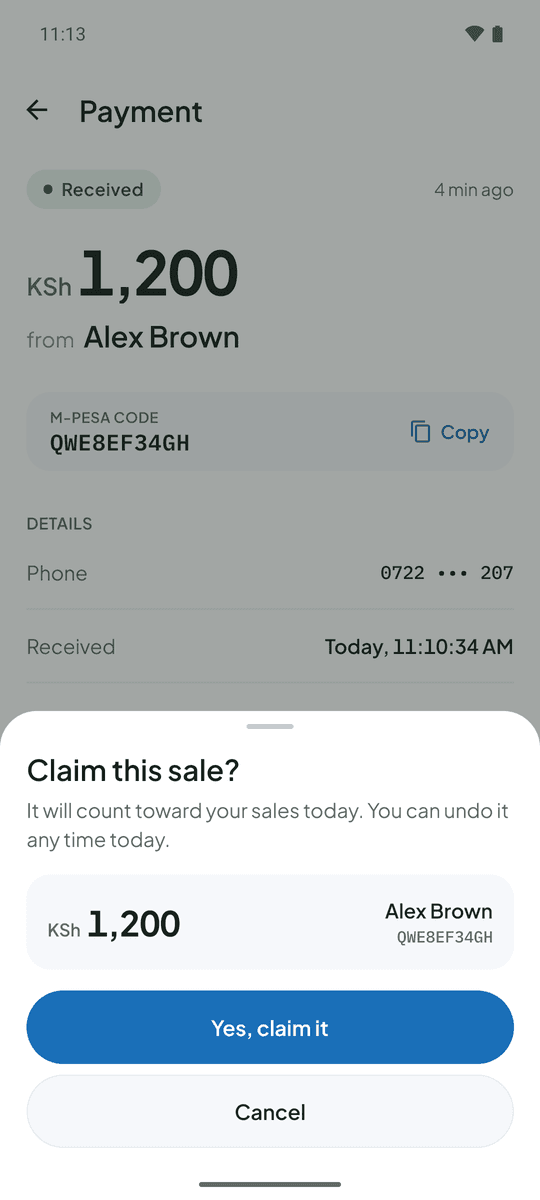
The payment shows on the cashier’s and the waiter’s phone as soon as it lands. Waiters claim the tables they served and each sees their own total for the day. Floor staff see the amount and payer’s name, never your balance.
Friday night, table 12. A guest pays KSh 3,350. The waiter sees it appear, claims it and clears the table. The cashier never had to leave the till point.
Questions from restaurants
Can waiters see payments from other tables?
Waiters see the live feed of payments from the last 24 hours, with the payer name and amount. Claims mark who served each one.
Can I export the day’s sales?
Yes. Owners can export payments to CSV, including who made each sale.
More on the FAQ page.
Other businesses that use TillSync
Ready for a more connected counter?
Create your business, connect the Android phone that holds your Till SIM, and bring your team in.